Replace the wall charts. Keep the teaching.
Classroom Hub is one teacher app for your morning routine, lessons, grades, and class points — instead of wall charts and spreadsheets.
From £49/year (about £4/month) · 14-day free trial, no card required

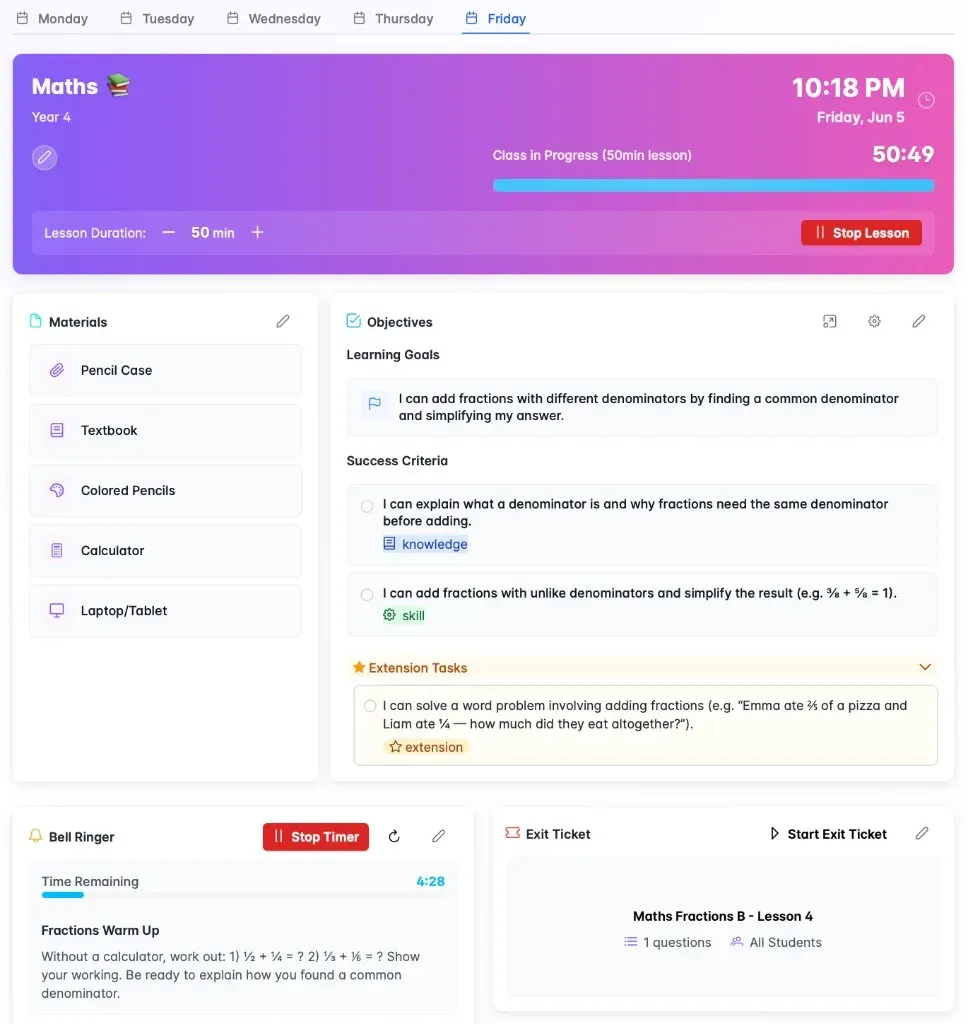
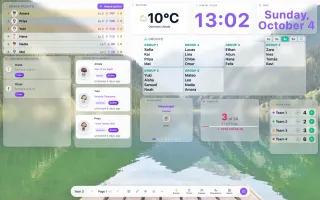
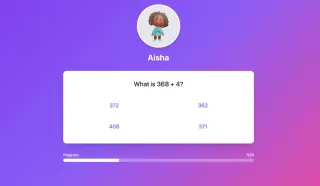
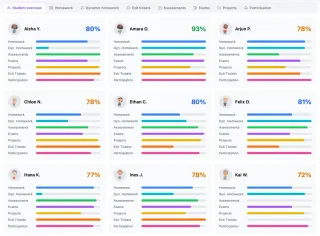

- Class dashboard
Birthdays, homework check-in & class jobs before the bell
- Classroom Screen
Objectives, exit tickets & name picker on the board
- One gradebook
Homework, exams & exit tickets connected — not a spreadsheet
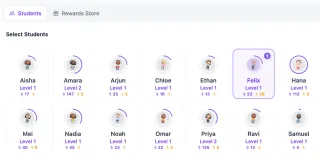
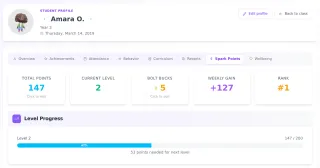
- Class points & reward store
Award points students spend on rewards they choose
Have a go with a pretend class
Give points, pick a name, move seats, run an exit ticket. Everything is connected, just like the real app.


- 1Amira 14
- 2Leo 11
- 3Sofia 9
Like it? Set it up with your own class. Start 14-Day Free Trial
UK GDPR compliant
Student data is hosted securely and never sold to third parties.
No credit card required
14 days of full access before you decide anything.
Cancel anytime
No lock-in contract, and a 90-day window to export your data.
Ready for every class
Unlimited classes and students on one simple plan.


Everything in one hub
- my.classroomhub.app
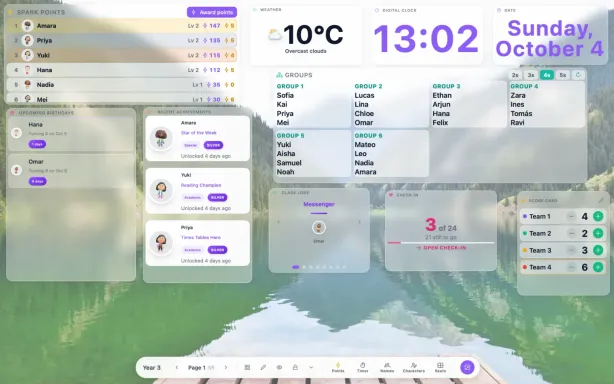
Class dashboard
Birthdays, jobs, and points on one screen before the bell.
- my.classroomhub.app
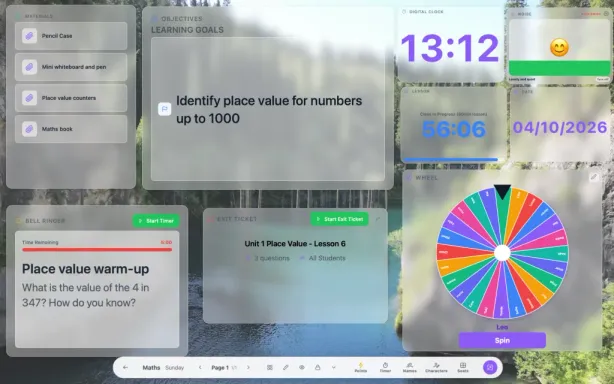
Classroom Screen
Objectives, timers, and a fair name picker on the board.
- my.classroomhub.app
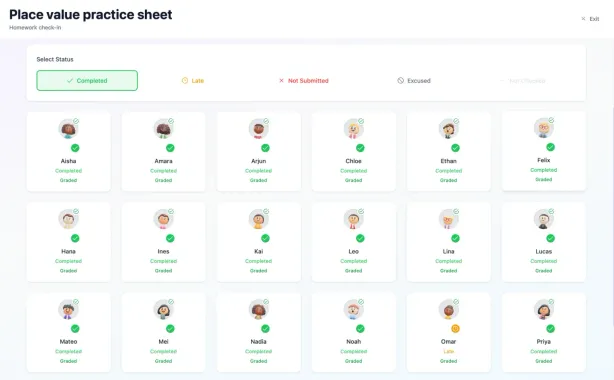
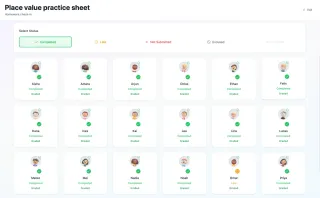
Homework check-in
Students tick in each morning. No clipboard by the door.
- my.classroomhub.app
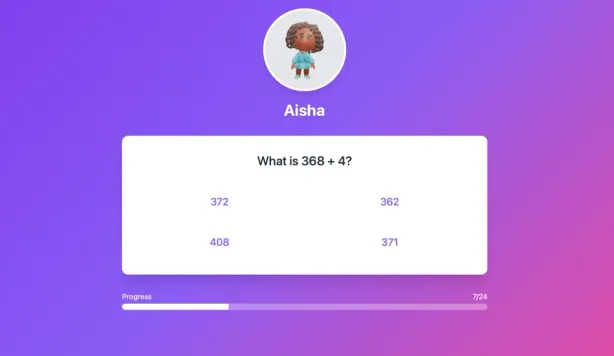
Exit tickets
Answers mark themselves and go straight into your gradebook.
- my.classroomhub.app
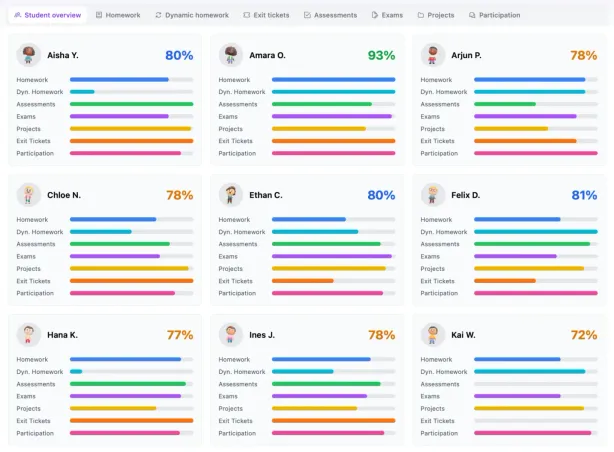
Gradebook
Homework, exams, and exit tickets, weighted in one place.
- my.classroomhub.app
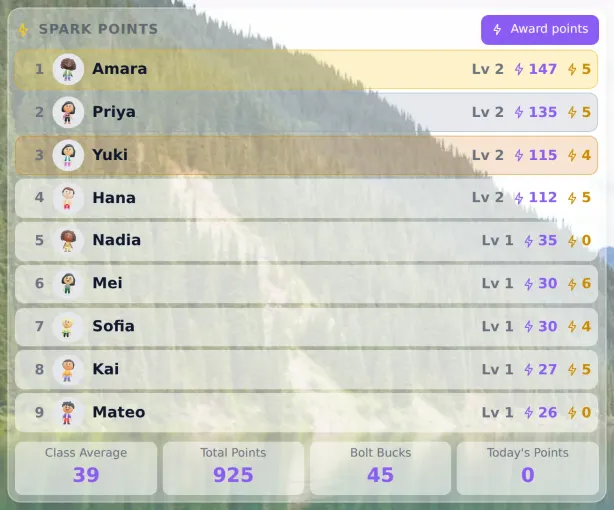
Points & reward store
Students earn points and spend them on rewards they choose.
AI that drafts. You decide.
Classroom Hub's AI assistant suggests bell ringers, links learning goals to the curriculum, turns your school's plans into ready-to-teach lessons, and drafts report comments in your voice. Nothing is saved until you have checked it, and pupil names are never sent.
Bell ringer ideas
Stuck for a starter? Get one built around today's objective, then tweak it and add it to the board.
Your plans, ready to teach
Upload a long-term or unit plan (Word, Excel or PDF). Pick today's lesson and its goals, success criteria, bell ringer and exit ticket are set up in one go.
Curriculum links
Add a learning goal and AI finds the statement it teaches. Exit tickets and marks then show which pupils are secure, developing or not yet there.
Report comment drafts
A first draft from the pupil's progress, marks and your notes, written in your style. Tutor comments stay pastoral. Set your word limit and AI shortens to fit.
Built for classrooms, not chatbots
- You check and edit everything before it is saved
- Pupil names and class lists are never sent to the AI
- No copy is kept of what is sent to the AI or what it writes back
- Fits your class: your curriculum, UK or US spelling, and EAL-friendly wording
- Included in your plan, with 50 AI requests a day


Wall charts, or one hub?
Wall charts & spreadsheets
- Rewritten every term
- Five separate systems
- Marks and points copied by hand
- Printing and laminating costs
Classroom Hub
- Set up once, in minutes
- One connected dashboard
- Entered once, used everywhere
- £49 a year, everything included
Free tools and guides for teachers
Free classroom tools
- Spinner WheelA colourful wheel of names or options. Spin, share, remove winners.
- Seating Chart MakerPaste a class list, set table size, keep certain students apart, print.
- Name PickerPick a student at random, with no repeats until everyone has gone.
- Report Card CommentsBuild a personalised comment in seconds, or browse a ready-written bank.
- Classroom TimerBig countdown digits, presets and a chime you can mute.
Popular guides
- Seating plans that survive contact with a real timetableOne laminated seating chart can't serve Maths groups, guided reading tables, and science partners all at once. Here's why the redraw cycle never actually stops.
- Classroom Hub vs. ClassDojo vs. Classroomscreen: which one actually replaces your morning routine?All three show up in the same searches, and all three solve a real problem. Here's what each one is actually built for — and which gap is left once you've tried them.
- Pulling sticks isn't fair — here's what actually happens when you cold-call randomlyRandom name-pulling feels fair — but the maths quietly favours the same students. Here's what's going wrong and how a weighted picker fixes it.

Ready to take down the wall charts?
14 days of full access, no credit card. Try it with one class for a real week.
No credit card required · Cancel anytime